
• How to Keep Your Mac Awake for Long-Running Agent Tasks

    I usually run coding agents somewhere in a VM or on a remote host, so I don’t have to think about what my laptop is doing.

    But sometimes, especially for bigger tasks, I need to run an agent locally on my Mac.
    And then there is one annoying problem: macOS may go to sleep while the agent is still working.

    Apparently, caffeinate is a very simple way to prevent that.

    Keep the Mac awake for a specific amount of time:

    This keeps it awake for 1 hour (3600 seconds).

    For a quick test:

    And if you want to prevent pretty much all kinds of idle sleep while the command is running:

    Simple, built into macOS, and surprisingly useful when running long AI agent tasks, builds, migrations, or anything else you don’t want interrupted by sleep.


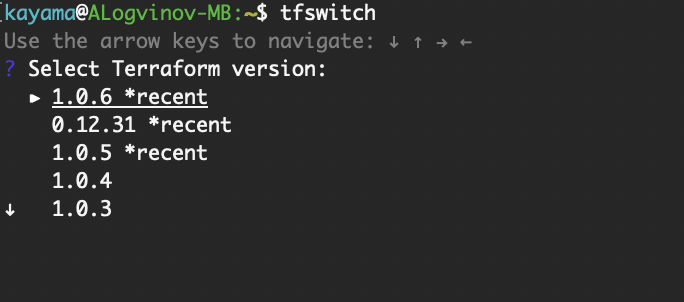
  • Fast switch Terraform version

    Very useful command: tfswitch


  • How to label Kubernetes node ROLE name

    That’s easy!

    Add Label:

    kubectl label node <node name> node-role.kubernetes.io/<role name>=<key — (any name)>

    Remove label:

    kubectl label node <node name> node-role.kubernetes.io/<role name>-

    Let’s try:

    $ kubectl get nodes

    $ kubectl label node node-2.domain.loc node-role.kubernetes.io/worker=

    and check:

    $ kubectl get nodes


  • How to setup L2TP over IPSec VPN server (Ubuntu 16.04 – 20.04)

    How to setup L2TP over IPSec VPN server (Ubuntu 16.04)

    # (optional, need to check ) apt-get install ppp libgmp3-dev bison flex

    Edit /etc/ipsec.conf

    Edit /etc/ipsec.secrets

    Edit /etc/ppp/options.xl2tpd

    Edit /etc/xl2tpd/xl2tpd.conf

    And finally add password to the /etc/ppp/chap-secrets file

    Everything should work fine!

    Upd. 2022.01


  • lxd and adjusting size of root device

    That’s normal. With LXD 2.9 and the storage pool changes, LXD stopped generating automatic «root» devices for the containers, instead relying on inheritance from the default profile.

    So in LXD < 2.9, every container had a local «root» device which you could then set properties directly on. With those LXD versions, adding a «root» device to your default profile would be entirely ignored as all containers would override it.

    In LXD > 2.9, containers don’t have any devices by default, they instead rely on inheritance. Meaning that if you want to override it, you have to add a new device to the container with the same name so that it overrides the one coming from the profiles.

    «lxc config show NAME» vs ” lxc config show –expanded NAME ” is pretty useful to see how this all works.

    © https://discuss.linuxcontainers.org/u/stgraber